
MUEDsp
Finish the record.
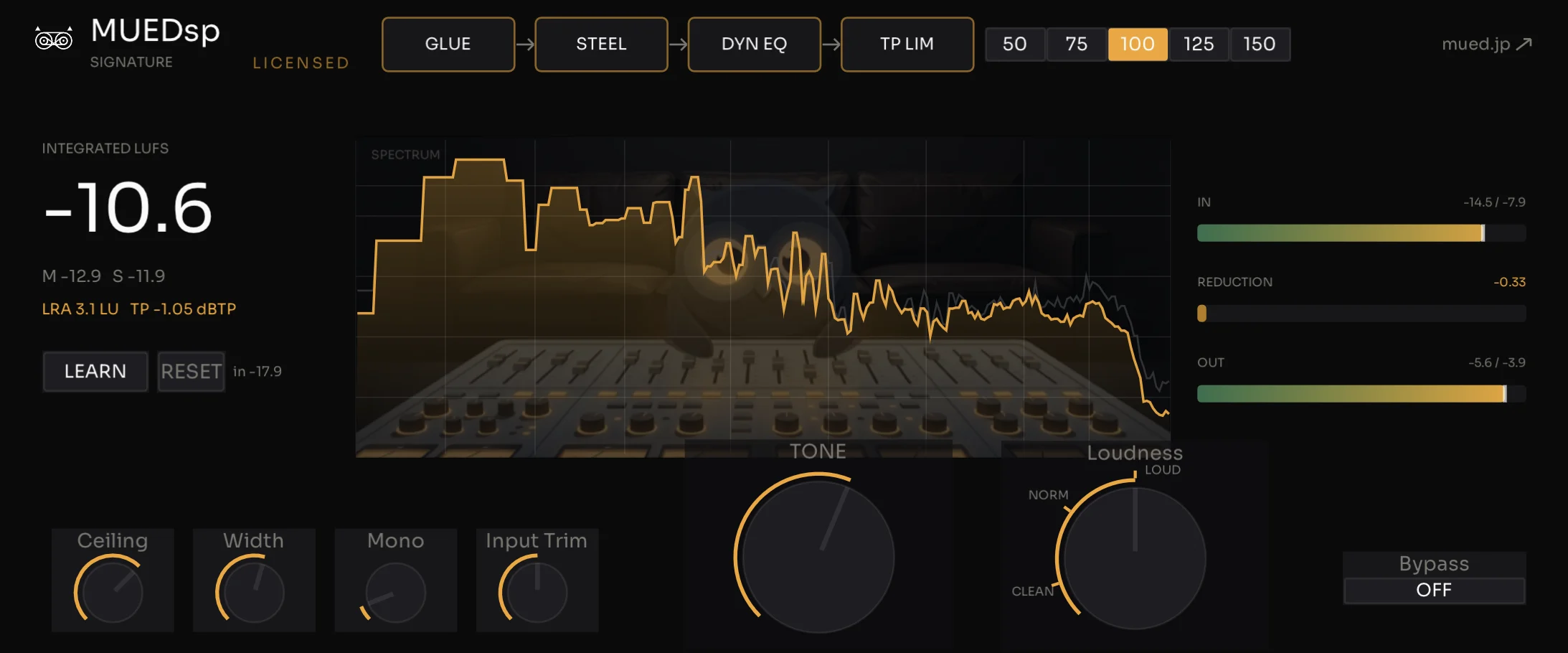
The chain I master with, folded into one plugin — a master chain for finishing a track while you stay in the music. That's MUEDsp masterchain.
A master chain for composers
MUEDsp masterchain
I've bundled the chain I always master with into a single plugin — comp, EQ, limiter. Few knobs, so you can finish a track without disappearing into the details.
One-time $69 (USD)
Sign in to mued.jp with the email you use at checkout to get your license key in your portal.
Here's how it works.
- Ceiling
- The output ceiling (−3 to 0 dBTP).
- Width
- Stereo width (0–200%).
- Mono
- Mono below this frequency (0–300 Hz).
- Limiter
- The final brickwall (on by default).
- Bypass
- The whole plugin on/off.
I'm putting out free plugins one at a time — some are stages taken from masterchain, some started outside the chain. Try them on your own music.
MUEDsatMUEDsp saturation
A free transformer saturation plugin
Not a demo or a trial — it's the transformer-saturation stage of the master chain I actually use, pulled out and made free (its finished form is MUEDsp masterchain). Push it for obvious grit, or back it off until it just sits under the sound.
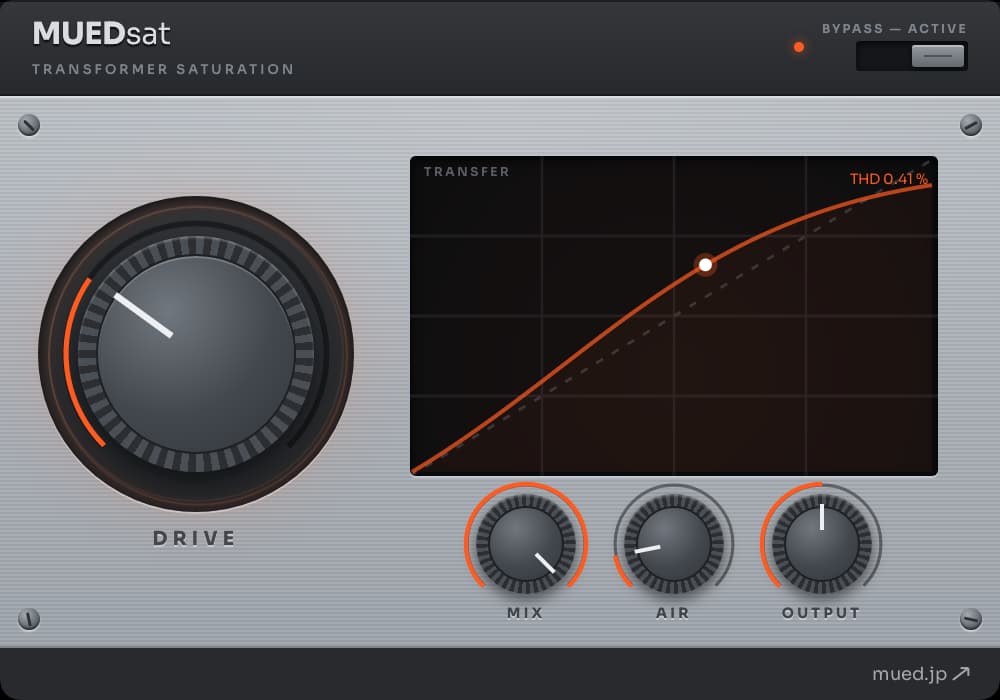
Idle (dry)
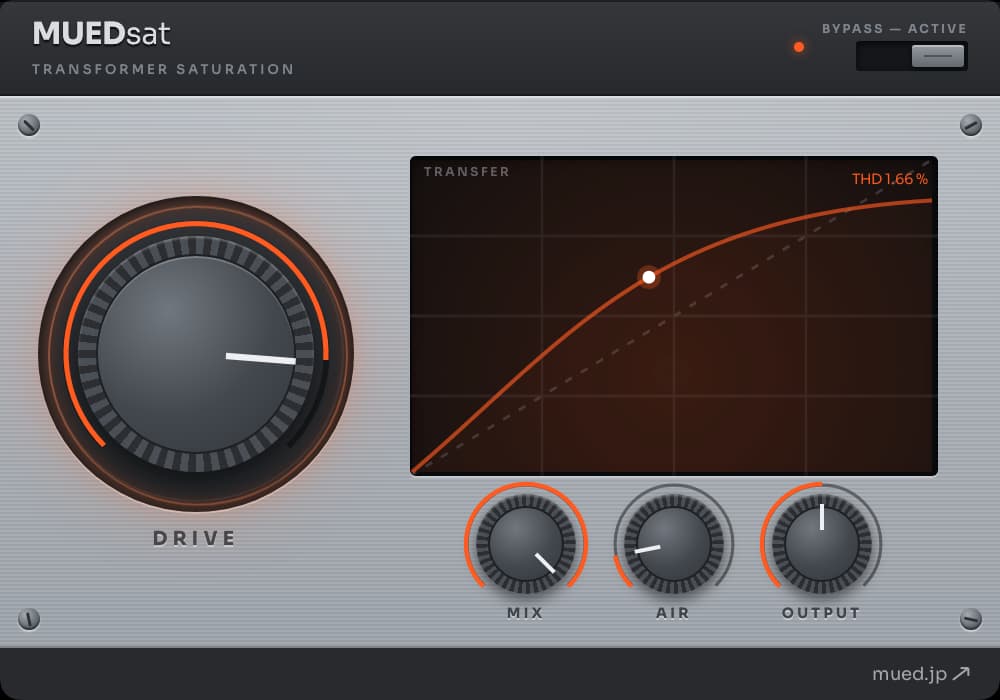
Driven (saturating)
Four knobs, nothing hidden.
- DRIVE
- how hard you push the transformer (more = more harmonics).
- Mix
- blend with the dry signal (parallel saturation).
- Air
- a touch of clean high-shelf sheen.
- Output
- level trim.
Plus a true-dry bypass toggle, for honest A/B. Zero latency, no oversampling artifacts (ADAA).
Free. Just grab it and try it on your own music.
MUEDsat is completely free — nothing locked, timed, or paywalled. The email you give me is your key: your plugins get a home in your portal, always the latest build, one click away, and no old email link to dig up next time.
MUEDlimMUEDsp limiter
A free true-peak limiter
Not a demo or a trial — it's the final peak-limiting stage (a true-peak limiter) of the chain I always master with, pulled out and made free (its finished form is MUEDsp masterchain). It catches inter-sample peaks and holds true peaks to a ceiling you set (−1 dBTP by default).
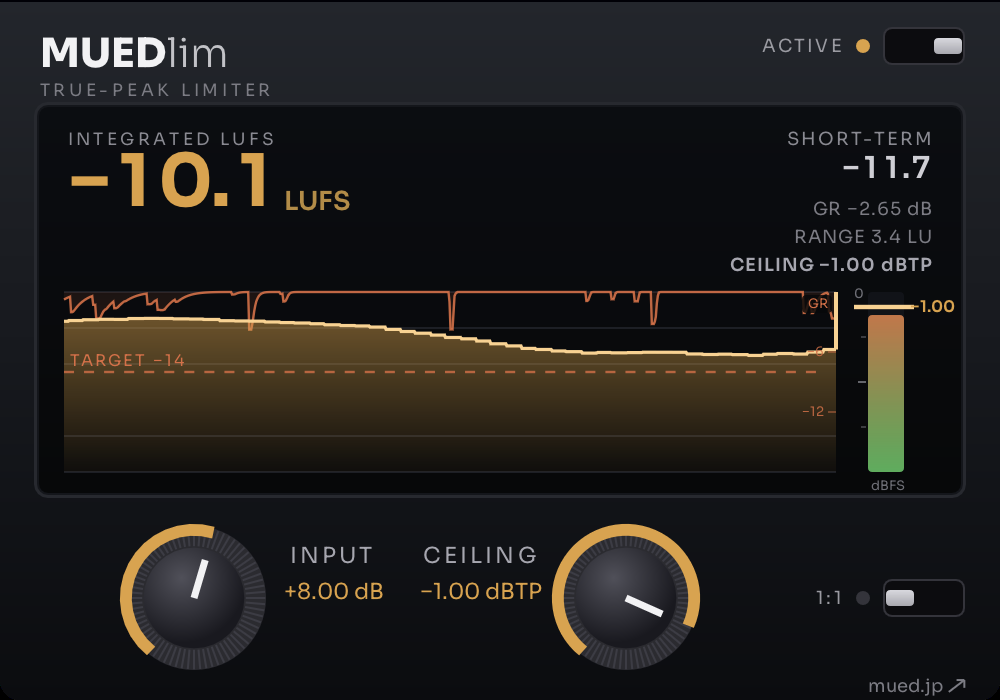
INPUT for loudness, CEILING for the ceiling. That's all.
- INPUT
- input drive, i.e. loudness (−6 to +18 dB).
- CEILING
- the true-peak ceiling (−18 to 0 dBTP, default −1).
Plus a BYPASS toggle (ACTIVE / BYPASS), for honest A/B. With the 1:1 switch on, INPUT brings CEILING down by the same amount instead of making the signal louder.
Free. Just grab it and try it on your own music.
MUEDlim is completely free — no feature locks, no expiry, no paywall. The email you give me is your key: your plugins get a home in your portal, always the latest build, one click away, and no old email link to dig up next time.
MUEDriveMUEDsp drive
A free saturator, three characters
Not a demo or a trial — it's the third free plugin I've put out under MUED. Unlike the first two, though, it isn't a stage lifted out of MUEDsp masterchain, my mastering chain; it's a standalone plugin I started outside the chain. Where MUEDsat adds sheen up top, this one is about what happens when you push the middle and the low end. On a bus, a drum bus, or before your master: run it through, push DRIVE, and each character breaks up differently.
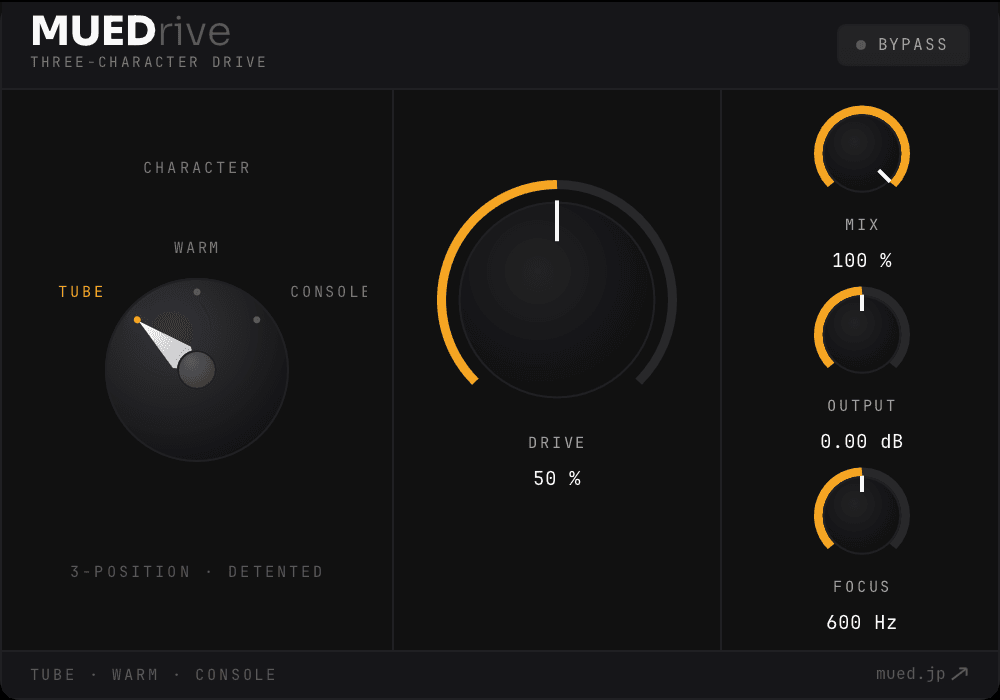
DRIVE for how much, FOCUS for where it starts. Then MIX and OUTPUT.
- DRIVE
- how much (0–100%).
- FOCUS
- the line above which it distorts; below it passes through. The readout shows the actual value for the character you've selected, so it changes when you switch.
- MIX
- blend with the dry signal (0–100%).
- OUTPUT
- output level (−12 to +12 dB).
Switch with the selector. Same DRIVE, different break-up.
Free. Just grab it and try it on your own music.
Windows
Windows
The Windows builds (VST3, beta) of the three free plugins are out.
- The three free plugins (MUEDsat, MUEDlim, MUEDrive)
- The VST3 beta is out. Like the Mac builds, you download it from your portal, which you get into by signing up with your email.
- MUEDsp masterchain
- The Windows version (VST3) is available. The license key is the same as for the Mac version — buyers can download it from their portal. You can try the demo from the product page.
Installing on Windows
- Sign up with your email on a plugin's page (skip this if you already have).
- Sign in to your portal and download the ZIP from “Windows (beta)”.
- Extracting the ZIP creates an outer folder (e.g. MUEDrive-1.0.1-win-x64-…). Don't copy that outer folder — copy only the “.vst3” folder inside it to C:\Program Files\Common Files\VST3\ (administrator permission may be required).
- Rescan VST3 plug-ins in your DAW.
This is an unsigned beta build. Hold Shift or Ctrl while dragging a knob for fine adjustment.
Open your portal →